


This guide will show you how to add more images to an existing property listing on Jamaica Homes.
Logging In:
Visit jamaica-homes.com and click on “Login” or the person icon in the top right corner.
Enter your username or email address and password.
Complete the reCAPTCHA challenge (verifying you’re not a robot).
Alternatively, click “Sign in with Google” and use your Google account credentials.
Navigating to Your Listing:
Once logged in, you’ll be on your profile page.
Click on “Properties” on the left-hand side menu. (Note: This guide assumes you already have a listing. If not, click on “Create a Listing” instead.)
You’ll see a list of your submitted properties.
Find the property you want to add images to and click the “Actions” button next to it.
In the dropdown menu, select “Edit”.
Adding Images:
You’ll see your property details on the left and a menu on the right.
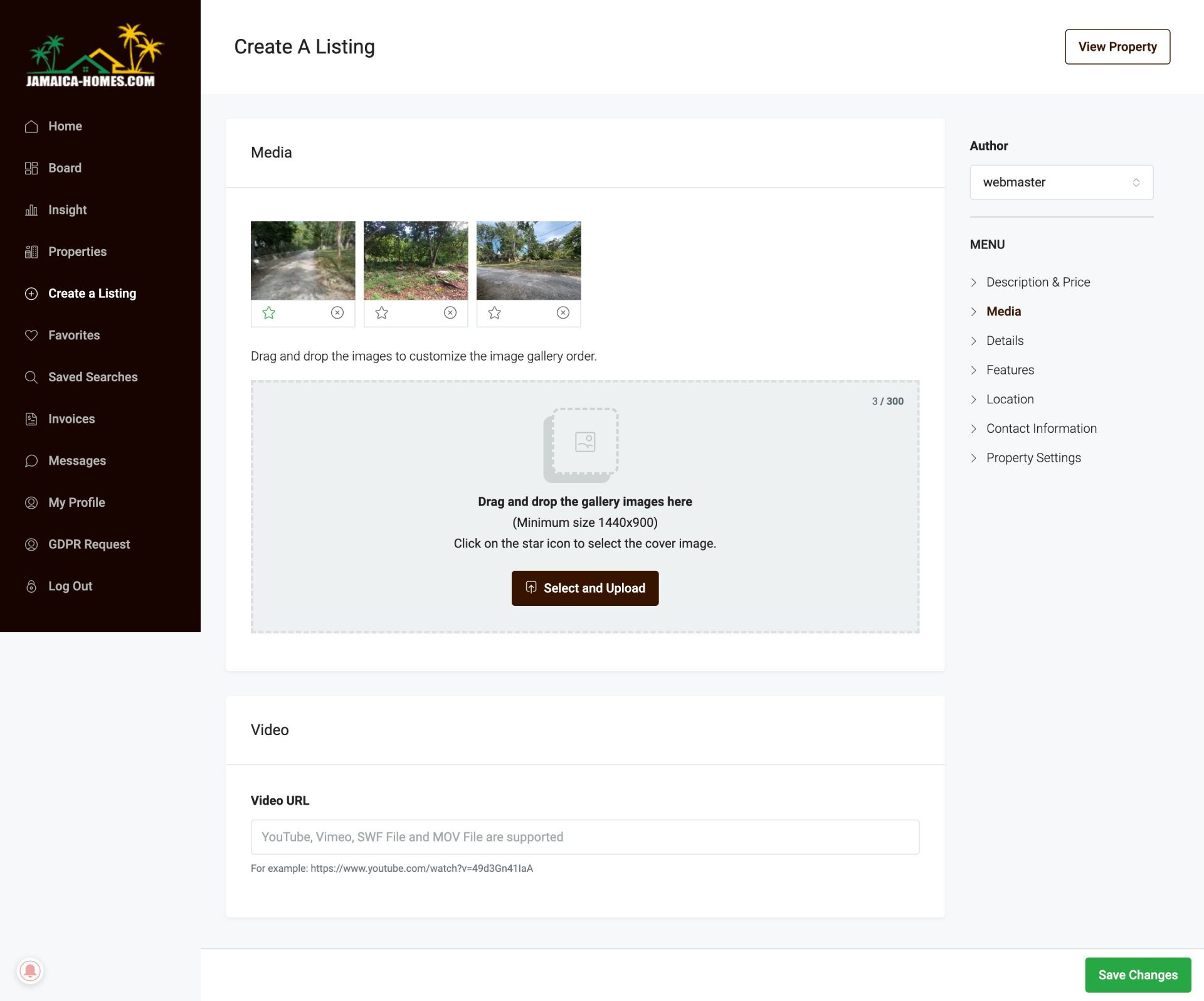
Click on “Media” in the menu.
This will show you the existing images uploaded for your property.
You have two options to add new images:
Drag and drop your images directly into the gray area labeled “Drag and Drop Gallery Images Here”.
Click on “Select and Upload” and choose the images you want to from your computer.
Your new images will appear at the top of the “Media” section.
You can drag and drop them to arrange them in the order you prefer.
Saving Changes:
Once you’re happy with the image selection and order, scroll down to the bottom right corner.
Click the green button that says “Save Changes”.
Congratulations! You’ve successfully added additional images to your Jamaica Homes property listing.